
What it is
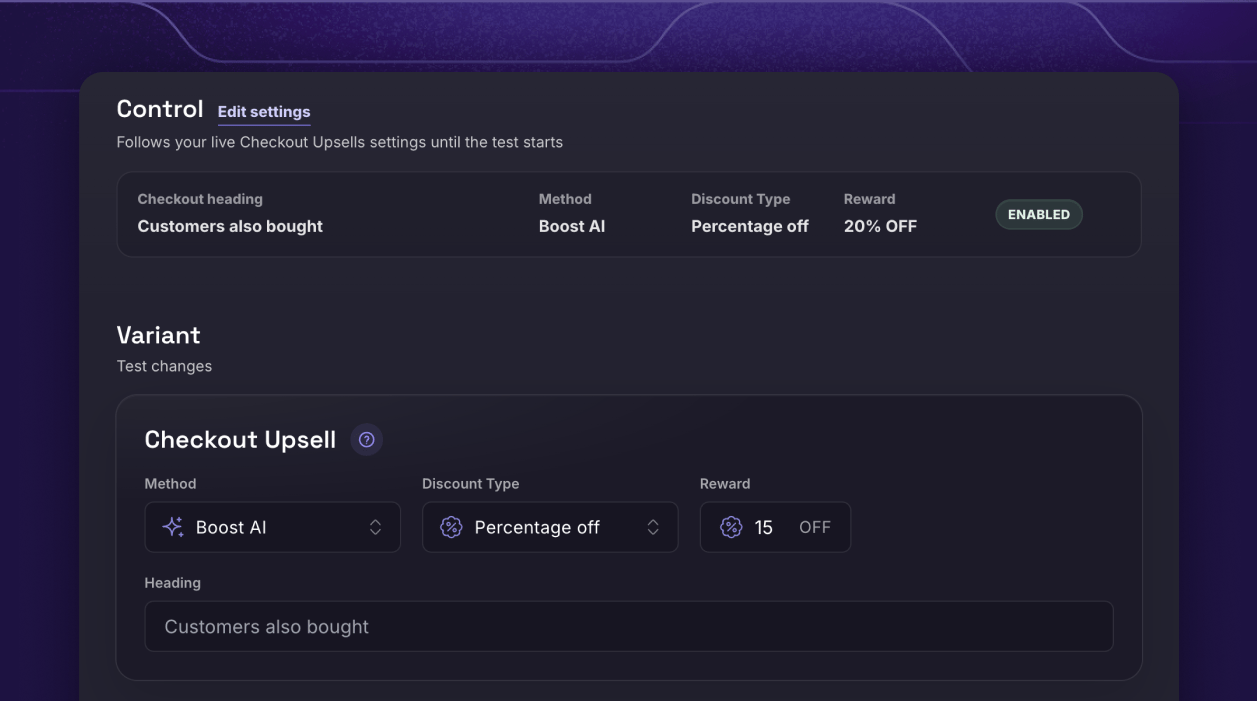
Checkout Upsell A/B Testing lets you test the offer inside your checkout the way you’d test an ad: two versions, a 50/50 split, one winner. Your live Checkout Upsells settings become the Control automatically, and you build one Variant with the change you want to prove — a different way of picking products, a different discount, a different heading. You’ll find it in Boost Admin under Checkout Upsells → A/B Tests. Like Checkout Upsells themselves, it runs inside the Shopify checkout, so it’s a Shopify Plus feature.The problem it solves
Checkout is the highest-intent moment in your store — and today, tuning the offer there is a guess:- You pick an offer and hope. Is Boost AI outperforming your hand-picked products? Would 20% off beat 15%? Without a controlled test, you’re choosing the offer at your highest-intent moment on instinct.
- Before-and-after comparisons lie. Change the offer, watch add rate for two weeks, and traffic shifts will drown out the signal. Only a same-time split isolates the change.
- Generic A/B tools can’t get into checkout. Landing-page testers stop at the checkout door — they can’t split an offer that lives inside Shopify’s checkout and its discount logic.
How it works
1. Create your test. Your live Checkout Upsells settings load in as the Control. The Variant can change how products are picked — Boost AI, best sellers, or hand-picked — the discount type and value, and the upsell heading. 2. Schedule it. Pick a start and end date and publish, or schedule it ahead — Boost starts and stops the test for you. Tests run on ET (Eastern Time) days, starting at 12:00 AM and ending at 11:59 PM. 3. Boost splits checkouts 50/50. Each checkout session is assigned to one version and stays on it, and both versions are locked in at launch so mid-test edits never muddy your results. Checkout still chooses the display automatically for every shopper — usually the reward-progress bar when one product unlocks the next reward, and up to three products otherwise — exactly as it does today, for both versions. 4. Read the report, keep the winner. Test checkouts, added upsells, add rate, and upsell revenue for each version — plus how shoppers saw the offer and which products earned the adds, position by position. A Leading badge marks the version with the higher add rate while the test runs, and the Winner is crowned when it ends.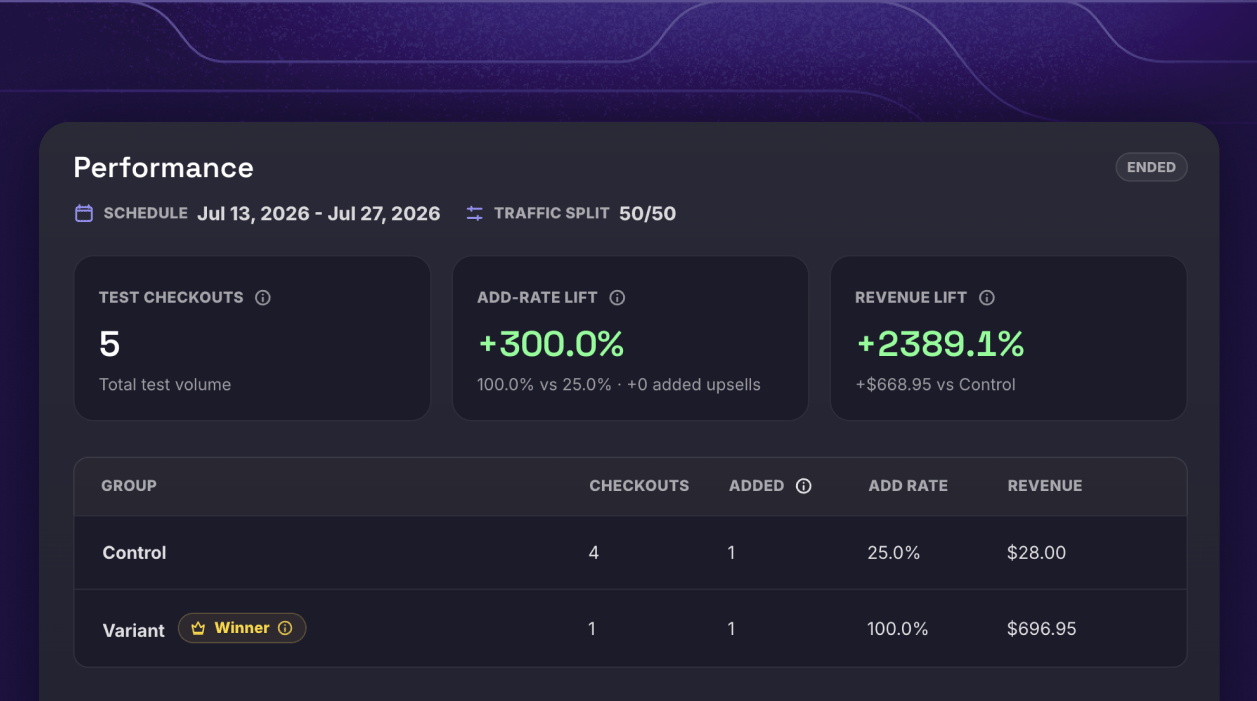
What you get
- An answer at your highest-intent moment. Prove which offer wins where it matters most — with real checkouts, not opinions.
- Product-level detail. See every product each version displayed, how often it was shown, how often it was added, and what it earned — down to the display type and position shoppers saw it in.
- Test orders you can find in Shopify. Boost tags every test order — like
Boost CUAB-1 ControlandBoost CUAB-1 Variant— so you can filter both groups right in Shopify Admin.
Works with your stack
- Do I need Shopify Plus? Yes — same as Checkout Upsells themselves, because the offer runs inside the checkout. (Not on Plus? Post-Purchase A/B Testing works on every plan.)
- Do I have to rebuild my offer to test it? No. Your live Checkout Upsells settings become the Control automatically — you only build the Variant.
- What can the Variant change? The product method (Boost AI, best sellers, or hand-picked products), the discount type and value, and the upsell heading.
- What does the revenue number mean? Upsell revenue — what the tested offers themselves earned. You’re comparing the offers, not the whole order.
- How many tests can I run? One checkout upsell test at a time. Pause or end a test whenever you want — the report keeps everything it’s learned. Resuming a paused test just needs its schedule to still be open.
Ready to find your best checkout offer?
Stop guessing what to offer at the finish line. Run the test, read the report, keep the winner.Continue to Explore
Checkout Upsells
The in-checkout offer you’re testing — one more “yes” before payment.
Reward A/B Testing
Test your cart’s reward tiers the same way — ladder vs. ladder.
Post-Purchase A/B Testing
Test your post-purchase offers too — no Shopify Plus required.