> ## Documentation Index
> Fetch the complete documentation index at: https://explore.boost.shop/llms.txt
> Use this file to discover all available pages before exploring further.
# Moneyboard
***
# Moneyboard
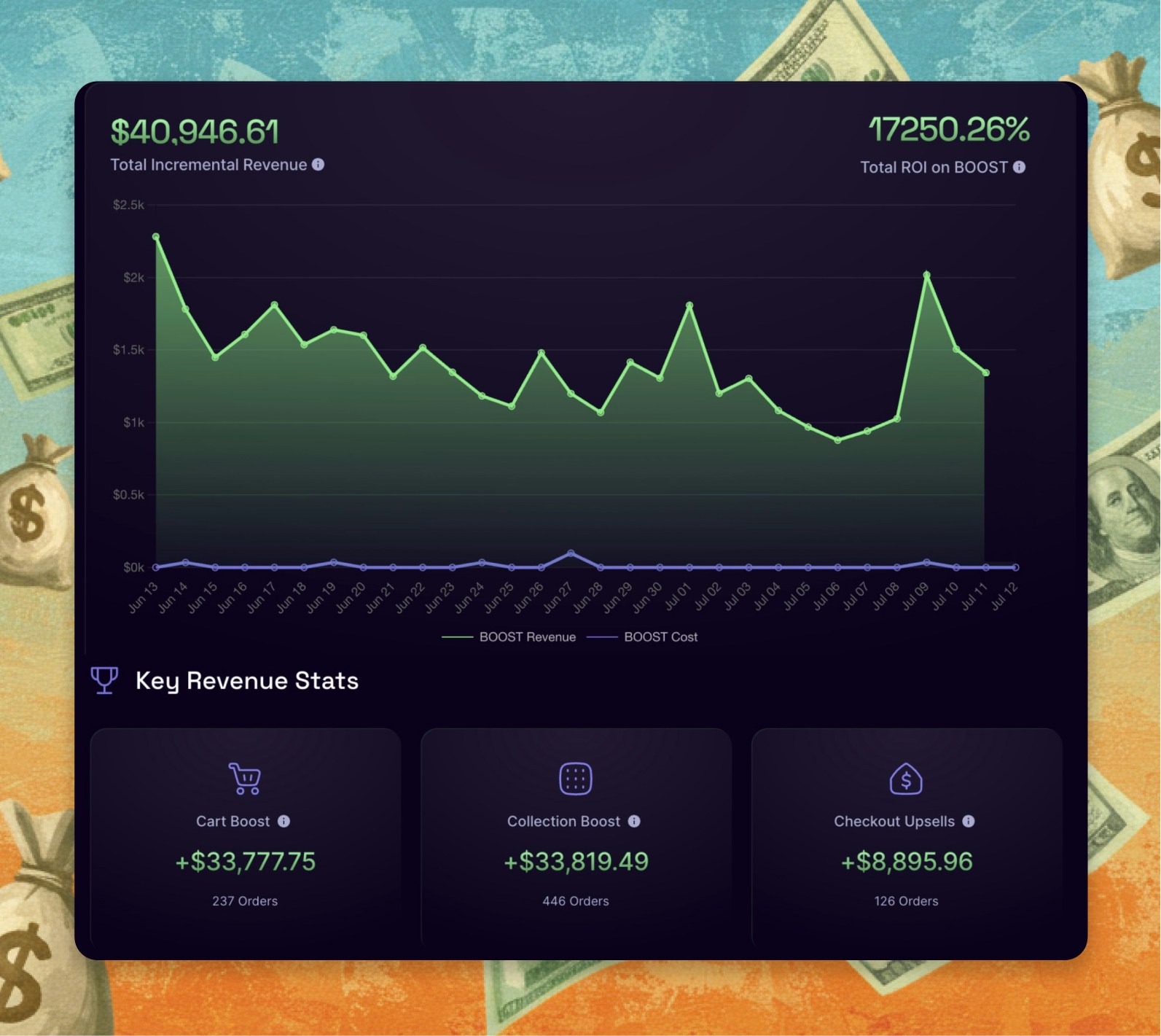
Moneyboard shows you the money you make with Boost — your store's revenue, feature by feature, in plain dollars. It's your scoreboard: you and Boost, working as a team, and the proof right there in front of you.
# What it is
Moneyboard is the dashboard inside Boost where you see what you and Boost are earning together. Every sale Boost is part of — a reward tier that grew the order, a bundle, a checkout upsell, a switch to subscription — shows up as real dollars, next to what Boost costs you, so you always know your return.
It's not Boost taking credit. It's your store's growth, made with Boost's tools — your wins, counted. And it's included with every Boost plan, because seeing the money is the whole point.
# The problem it solves
Every growth app promises to make you money. Almost none of them show you whether they actually did:
* **You can't tell what's working.** You're running a cart app, an upsell app, a bundle app — and at month's end you have a bigger Shopify number but no idea which tool helped earn it, or whether any of them paid for themselves.
* **The numbers are usually a black box.** Most apps show vanity metrics or bury the revenue that matters, so you're left taking their word that they're worth it.
* **So you keep paying for tools you can't measure.** Without a clear number, every renewal is a leap of faith — and you can't confidently decide what to add or cut.
Moneyboard answers the only question that matters: show me the money.
# How it works
Moneyboard turns everything you're running on Boost into a straight answer — what you earned, what it cost, what's working.
**1. Pick a time range.** Choose the window you want to see — today, this month, any range.
**2. See the headline number.** Your Boost-driven revenue, what Boost cost you, and your ROI — the return in plain dollars, right at the top.
**3. Drill into each feature.** See exactly what every part of Boost earned — cart reward tiers, bundles, checkout and post-purchase upsells, cross-sells, subscriptions, collections — with order counts and your top-performing products.
**4. Find what's left on the table.** See which features are carrying your growth and which you haven't switched on yet — so your next move is obvious, not a guess.
# What you get
* **Your numbers, in plain dollars.** The real revenue your store earns with Boost, broken out feature by feature — your scoreboard, not a vanity chart.
* **Know what's working.** See which features drive your growth and which to push harder, so you stop guessing and start deciding.
* **Your next move, made obvious.** Moneyboard shows you the money you're leaving on the table — the feature that would earn more the moment you switch it on.
* **You and Boost, as a team.** Moneyboard isn't Boost bragging — it's the proof of what your store achieves with Boost behind it, counted in dollars.
# Works with your stack
* **Is Moneyboard an extra cost?** No — it's included with every Boost plan. The proof comes free with the platform, because seeing the money is what makes Boost worth it.
* **Whose revenue is this — Boost's or mine?** Yours. Moneyboard shows your store's revenue, earned with Boost's features — your wins, made with the tools, counted in plain dollars.
* **Does it stay current?** Yes — as orders come in, your Moneyboard reflects them, so the number is always up to date.
* **Do I have to set anything up?** No. Switch on Boost features and Moneyboard starts counting their revenue automatically.
***
# Ready to see your money?
Switch on Boost, and watch your scoreboard fill in — your store's revenue, earned feature by feature, in plain dollars.
Start Free Trial
***
# Continue to Explore
The best cart on Shopify — your biggest Moneyboard line.
Build-a-box orders, counted on your Moneyboard.
A recurring revenue line you can watch grow in plain dollars.