> ## Documentation Index
> Fetch the complete documentation index at: https://explore.boost.shop/llms.txt
> Use this file to discover all available pages before exploring further.
# Bundle Builder
***
# Bundle Builder
Let your shoppers build their own multi-product bundle, get a "buy more, save more" deal, and check out in one order — the build-a-box experience included in every Boost plan, and the best on Shopify.
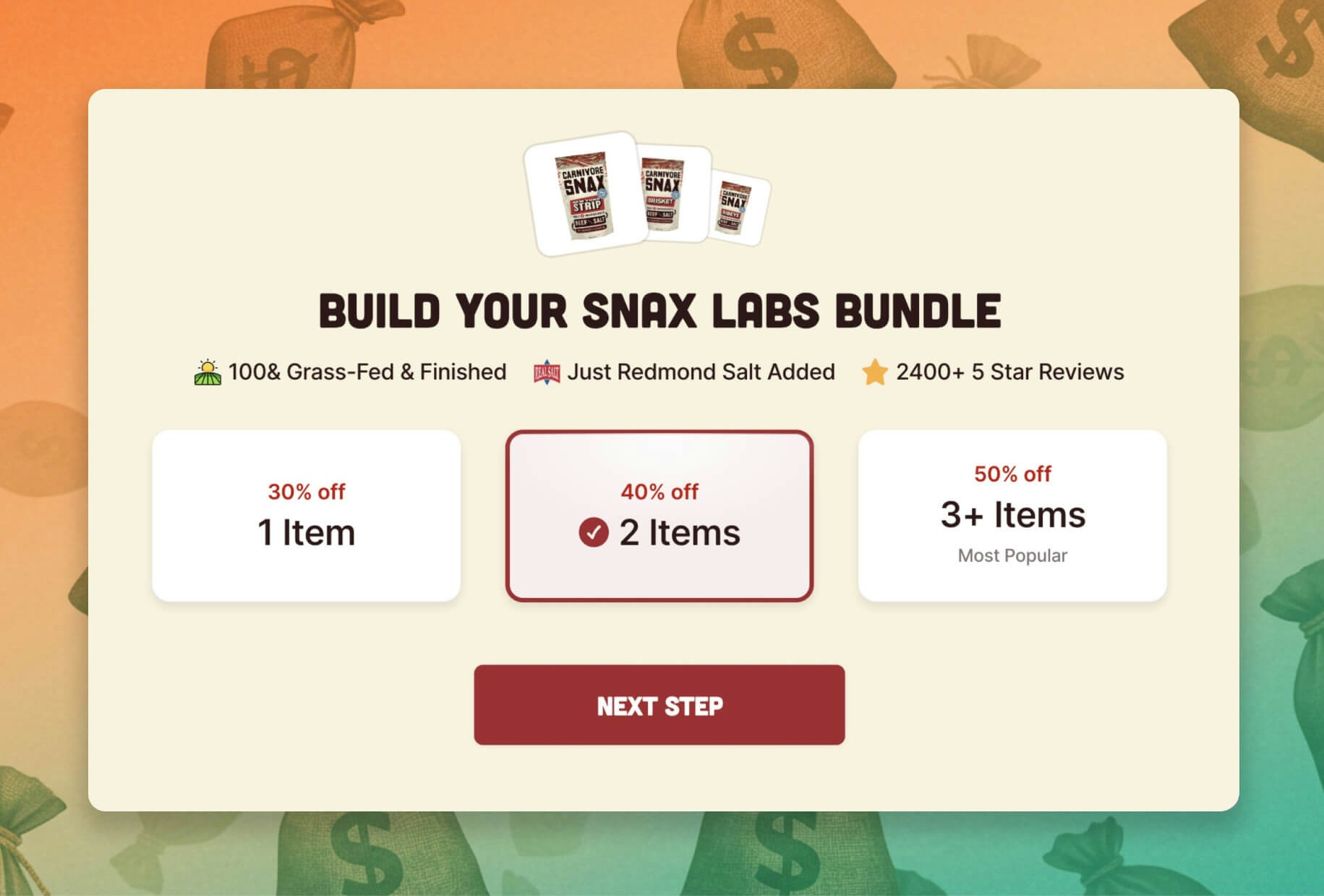
# What it is
The Bundle Builder lets a shopper pick several products, combine them into one bundle at a deal price, and add the whole thing to cart in a single step. It's the build-a-box format leading CPG and supplement brands run — "build your own kit," "mix and match and save."
It's included in every Boost plan, no extra app to install. And you don't get just one — you can run up to **three separate bundle builders**, each with its own box sizes, its own product selection, and its own link, so you can point different builders at different audiences.
# The problem it solves
Build-a-box is the format CPG customers want — but the usual way to offer it works against you:
* **It's a separate app, bolted onto your store.** Adding a build-a-box means installing a dedicated bundle app — another install, another bill, another widget that loads slow and clashes with your branding.
* **The experience is clunky, and worst on mobile.** Most bundle tools cram size, every product, and the deal onto one cluttered page. On a phone it's overwhelming, and shoppers give up before they finish — a builder customers abandon makes you nothing.
* **One builder can't serve every channel.** Your main site, your email list, and your ad traffic each want a different offer — but a single bolted-on builder forces one configuration for all of them.
Boost fixes the part that matters: build-a-box that's included, built-in, and good — three of them, each tuned to a different audience.
# How it works
Boost gives your shopper a clean, focused bundling flow, and gives you up to three builders to deploy however you sell.
**1. Pick the products.** The shopper chooses the items they want in their bundle from the selection you set, on a fast, brand-matched screen that's easy to tap through on mobile.
**2. The deal builds as they go.** A "buy more, save more" discount grows as they add items, so shoppers are nudged toward a fuller bundle — the bigger box becomes the obvious choice.
**3. Check out as one order.** The finished bundle adds to cart as a single order, with every product as a real line item, so your fulfillment and 3PL see exactly what's inside.
You configure each of your three builders in a setup wizard — separate box sizes, products, and discount for each — and give each its own link to drop on your site, in an email, or behind an ad. No code, with a live preview before you go live.
# What you get
* **A bigger average order.** A built bundle is a multi-product order, and the "buy more, save more" deal pushes it bigger — more revenue from the same traffic.
* **Three builders, three channels.** Run one on your main site, one for email, one for ad traffic — each with its own products, sizes, and offer, so every audience gets the right bundle.
* **An experience shoppers finish.** A focused, mobile-first flow means more completed bundles than a clunky bolt-on builder — especially where most of your customers shop.
* **Included, not another app.** It's part of Boost, not a separate bundle app to install and pay for — one platform, one bill, native to your store.
# Works with your stack
* **Is this an add-on?** No — the Bundle Builder is included in every Boost plan. It's part of the Boost foundation, not a separate app or an extra bill.
* **Do I really get three builders?** Yes. You can run three distinct bundle builders at once, each with its own box sizes, product selection, and link — built to target different audiences and channels.
* **Will it mess up fulfillment?** No. Every product in a bundle adds as a real line item, so your 3PL, inventory, and reporting see the true contents of every order.
* **Where does it run?** Natively in the Boost storefront your shoppers already use — your branding, your products, no separate widget fighting your theme.
***
# Make it recurring
The Bundle Builder sells a box once. For supplement and food brands, the real value is when that box comes back every month — recurring revenue from the same build-a-box your shoppers already love.
That's the upgrade path:
* **[Subscription Box Builder](/pages/subscription-box)** — turn the same build-a-box into a recurring subscription, the best build-a-box subscription experience on Shopify, riding on the subscription provider you already run.
* **[Stack Builder](/pages/stack-builder)** — the guided version tuned for supplement regimens: walk a shopper through building a complete daily stack, step by step, and subscribe to the whole thing at once.
***
# Ready to build bigger orders?
Give your shoppers the best build-a-box experience on Shopify — included in every Boost plan, with three builders to target every channel.
Start Free Trial
***
# Continue to Explore
Turn your build-a-box into recurring revenue — the upgrade that makes it a subscription.
The guided builder for supplement regimens — build a stack, subscribe to it all at once.
The best cart on Shopify — where every bundle checks out.